



-
1
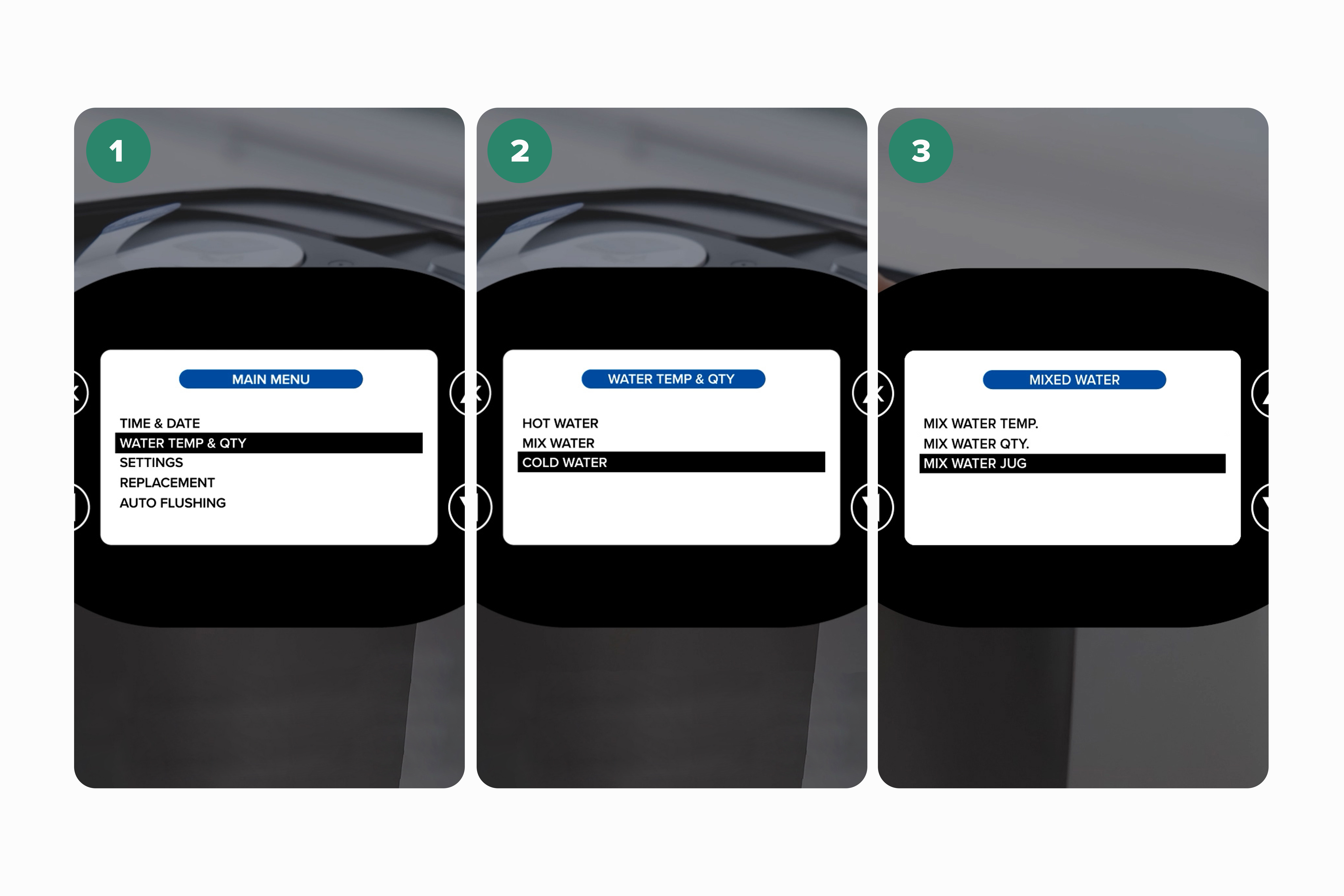
Enter the menu
-
2
Select water temp & qty
-
3
Select cold water
-
4
Select jug
-
5
Select yes
-
6
Press OK to confirm choice
-
7
Press the left arrow key repeatedly until you return to the main screen
-
8
Try the jug function (press the jug icon)
-
1
Turn off the home water system at the mains
-
2
Wait 1 minute
-
3
Turn the power back on
The Jug function may be switched off.
If issue still persists
Sorry we were unable to resolve your issue with the troubleshooter this time. Please call Customer Services on 0207 022 6471 to help resolve the matter
Related Content


Videos
Descaling & Changing Water Filter

Videos
Changing the UV Lamp on your T7
Guides & Manuals
Home Water System I Care Guide Manual
Can't find what you're looking for?
Chat with Us
Monday - Friday
9:00 AM - 5:30 PM
Saturday - Sunday
10:00 AM - 7:00 PM


