


-
1
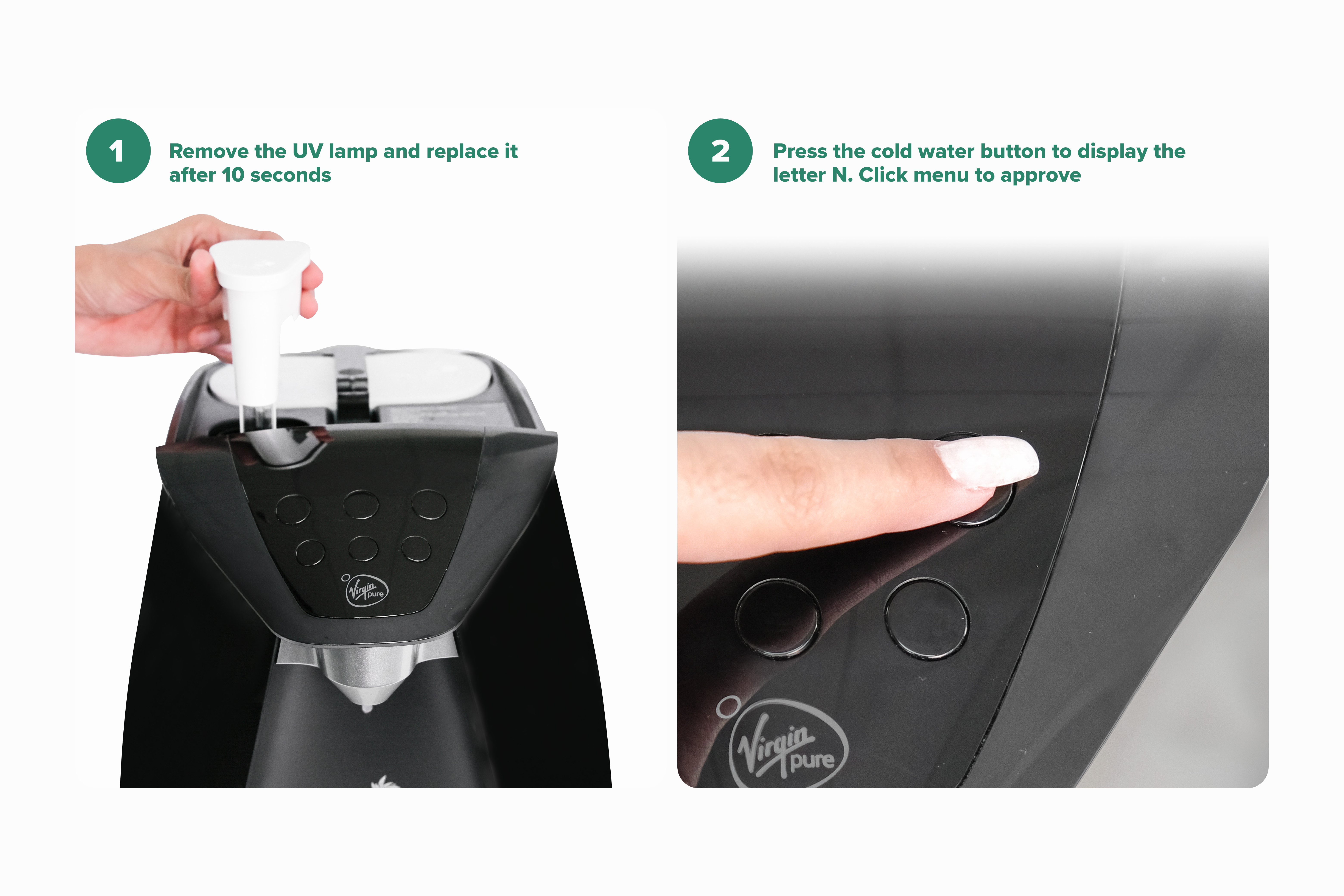
Remove the UV lamp and replace it after 10 seconds
-
2
Press the cold water button to display the letter N
-
3
Click menu to approve
-
1
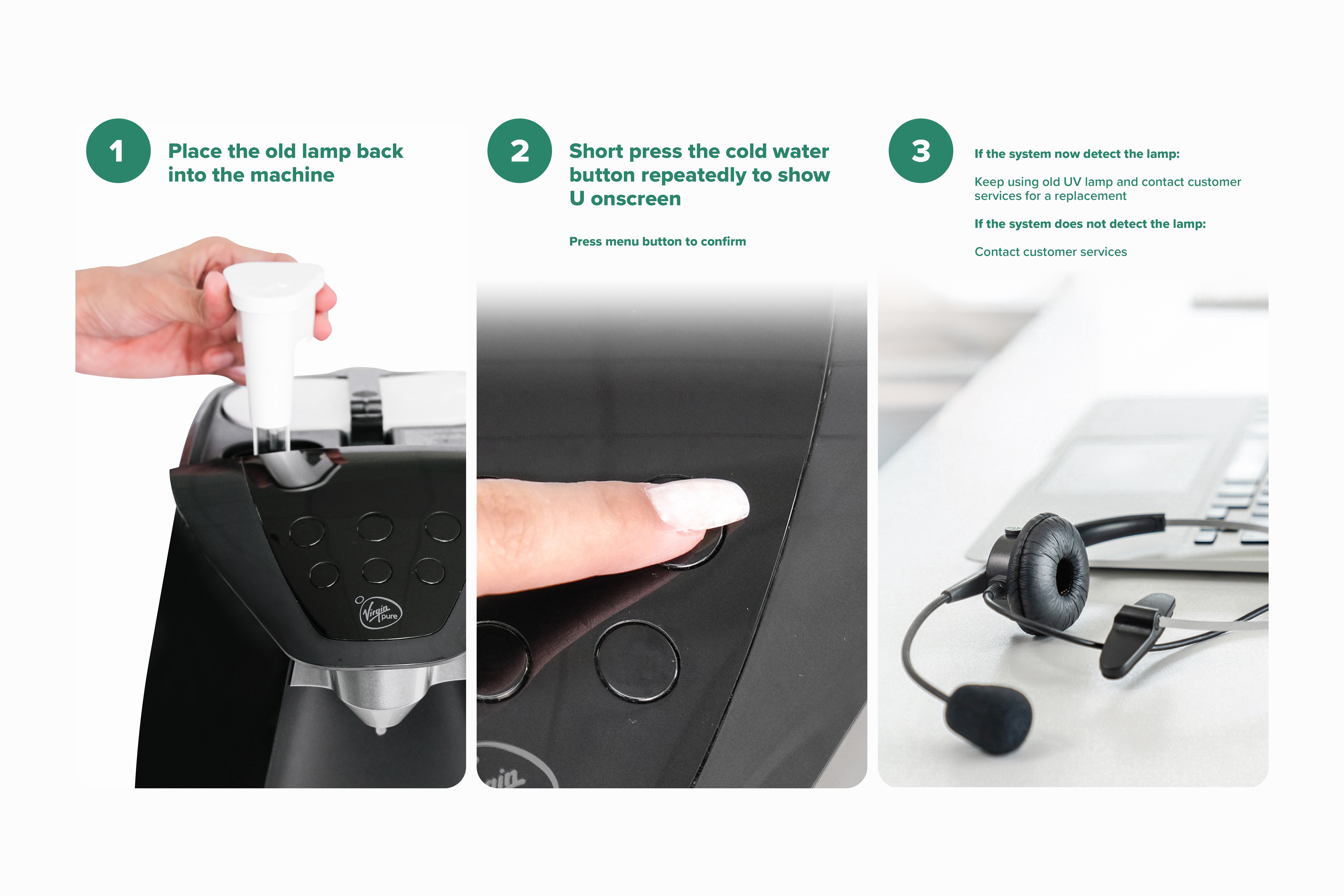
Place the old lamp back into the machine
-
2
Short press the cold water button repeatedly to show U onscreen
-
3
Press menu button to confirm
The UV icon will light up in red on the display screen, indicating that the UV lamp needs to be replaced
If problem is not resolved:
If the system now detect the lamp:
Keep using old UV lamp and contact customer services for a replacement
If the system does not detect the lamp:
Contact customer services support here.
Related Content


Videos
Descaling & Changing Water Filter

Videos
Changing the UV Lamp on your T7

Guides & Manuals
Home Water System I Care Guide Manual
Can't find what you're looking for?
Chat with Us
Monday - Friday
9:00 AM - 5:30 PM
Saturday - Sunday
10:00 AM - 7:00 PM


