


-
1
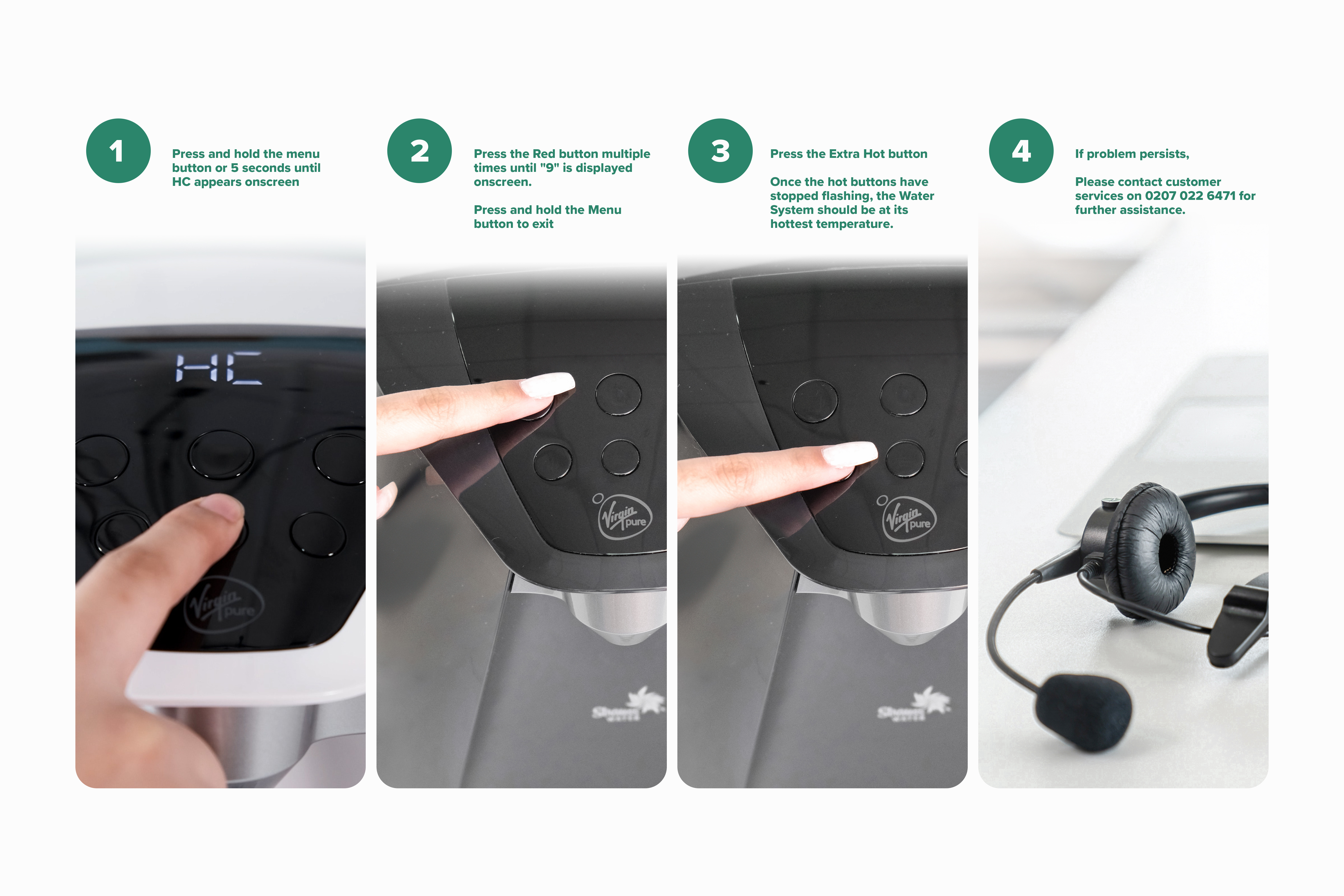
Press and hold the Menu button until "HC" appears onscreen.
-
2
Press the Red button multiple times until "9" is displayed onscreen.
-
3
Press and hold the Menu button to exit
-
4
Press the Extra Hot button
-
5
Once the hot buttons have stopped flashing, the Water System should be at its hottest temperature.
If problem persists,
Please contact customer services on 0207 022 6471 for further assistance.
Related Content


Videos
Descaling & Changing Water Filter
Videos
Changing the UV Lamp on your T6
Guides & Manuals
Work Water System T6 Care Guide Manual
Can't find what you're looking for?
Chat with Us
Monday - Friday
9:00 AM - 5:30 PM
Saturday - Sunday
10:00 AM - 7:00 PM


