


-
1
Remove top decorative cover
-
2
Remove UV light from its holder in the machine
-
3
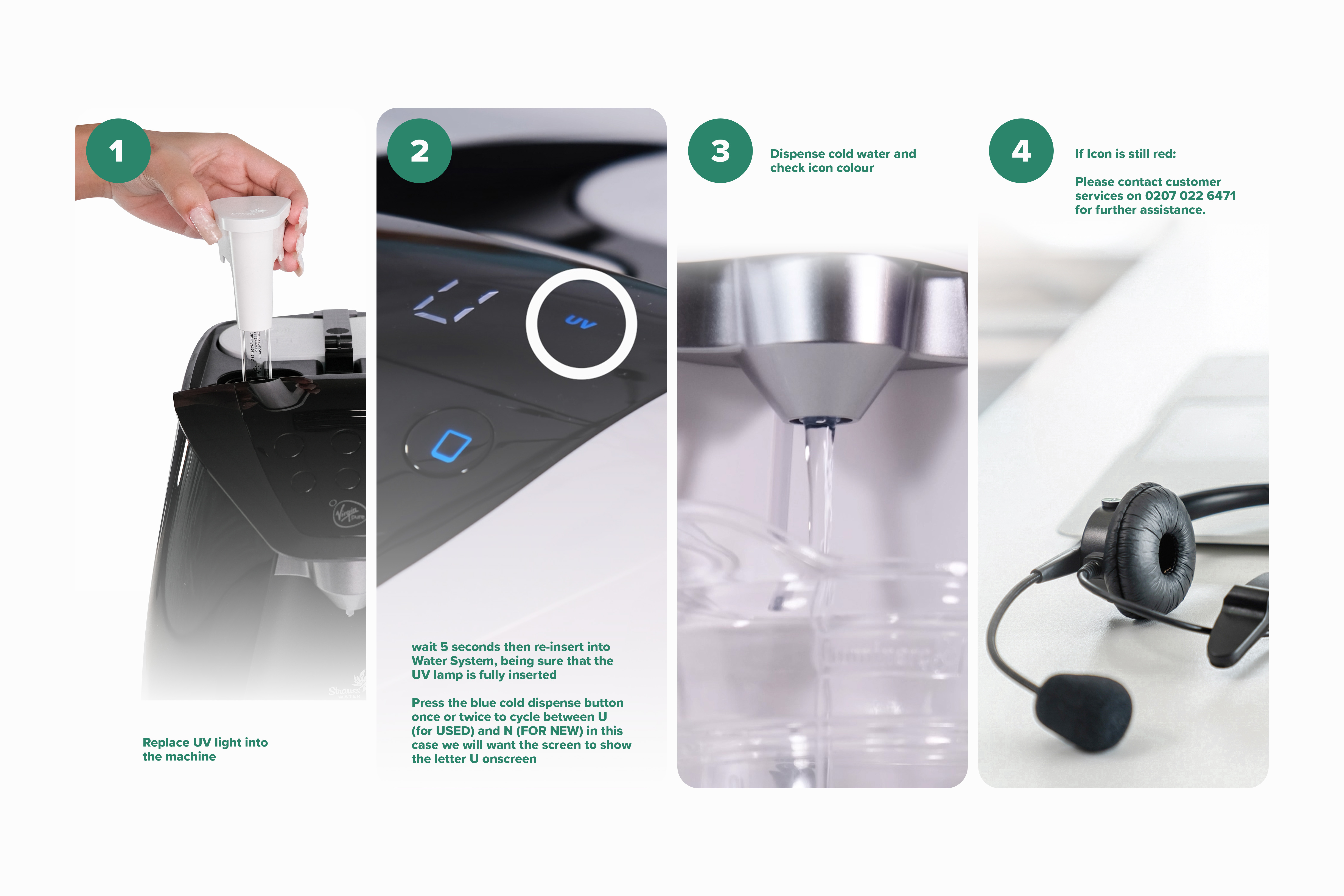
Replace UV light into the machine
-
4
You will see N or U onscreen. Using the blue illuminated button cycle between N and U until you have 'N' onscreen (this means NEW). Press Menu button to confirm your choice.
-
5
Dispense cold water and check icon colour
When replacing the UV light we need to reset the UV system to let it know it has a new UV bulb installed.
Resetting your UV:
If Icon is still red:
Please contact customer services on 0207 022 6471 for further assistance.
Related Content


Videos
Descaling & Changing Water Filter

Videos
Changing the UV Lamp on your T7

Guides & Manuals
Home Water System I Care Guide Manual
Can't find what you're looking for?
Chat with Us
Monday - Friday
9:00 AM - 5:30 PM
Saturday - Sunday
10:00 AM - 7:00 PM


